HN
@heloix_news
AI/ML

Comment
608
Shamita
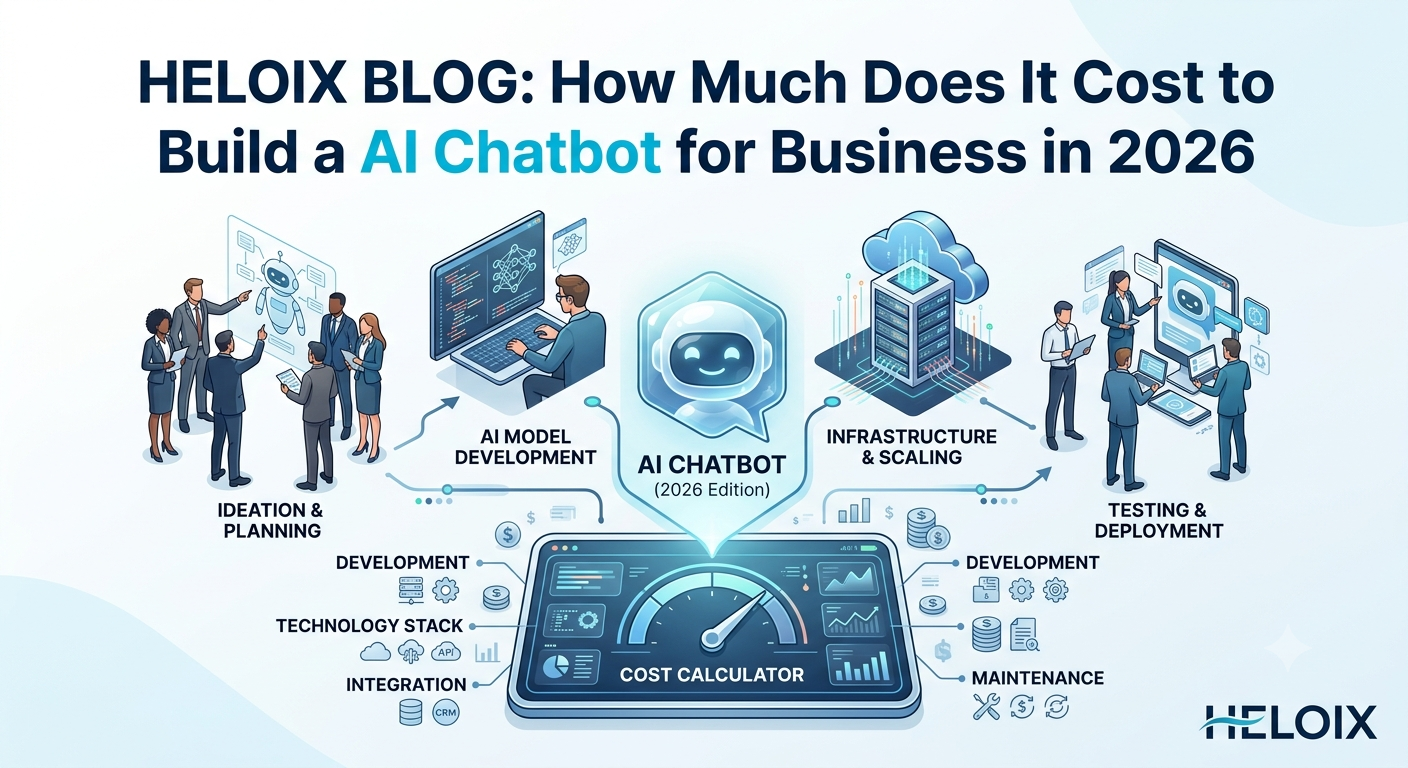
Artificial Intelligence has shifted from simple, rule-based auto-responders to multi-modal, context-aware AI agents. Modern AI chatbots do far more than answer basic FAQs; they integrate with CRM networks, execute automated workflows, issue refunds, verify orders, and handle voice interactions across platforms.
For business owners, understanding the cost to build an AI chatbot requires evaluating whether you choose a subscription-based platform, invest in a ground-up custom build, or utilize a ready-to-launch white-label solution. In this guide, we break down AI chatbot development costs, key cost drivers, recurring operating expenses, and a step-by-step launch framework.
The cost of an AI chatbot depends primarily on its intelligence level, natural language processing (NLP) model, retrieval architecture (RAG vs. fine-tuned LLMs), and depth of third-party systems integration.
  ┌──────────────────────────────────────────────────────────┐
  │ 1. Rule-Based / Basic FAQ Bot: $500 – $3,000             │
  │    (₹30,000 – ₹1,50,000 in India)                         │
  └─────────────────────────────┬────────────────────────────┘
                                │
                                ▼
  ┌──────────────────────────────────────────────────────────┐
  │ 2. Smart AI / RAG Chatbot: $5,000 – $15,000              │
  │    (₹3,00,000 – ₹10,00,000 in India)                      │
  └─────────────────────────────┬────────────────────────────┘
                                │
                                ▼
  ┌──────────────────────────────────────────────────────────┐
  │ 3. Enterprise Multi-Agent System: $25,000 – $80,000+     │
  │    (₹15,00,000 – ₹50,00,000+ in India)                    │
  └──────────────────────────────────────────────────────────┘
| Chatbot Type | Features & Capabilities | Global Cost (USD) | Cost in India (INR) |
| Basic Rule-Based / FAQ Bot | Predefined button trees, keyword matching, no context retention, basic website widget. | $500 – $3,000 | ₹30,000 – ₹1,50,000 |
| Smart Conversational AI (RAG Engine) | LLM integration (GPT-4o, Claude 3.5, Gemini), Retrieval-Augmented Generation over business data, custom context. | $5,000 – $15,000 | ₹3,00,000 – ₹10,00,000 |
| Transactional AI Agent | Multi-channel (WhatsApp, Web, Mobile App), CRM/ERP integration, automates bookings, refunds, and order updates. | $12,000 – $30,000 | ₹8,00,000 – ₹25,00,000 |
| Enterprise Multi-Agent & Voice AI System | Custom fine-tuned LLM, multi-workflow autonomous agents, real-time voice synthesis, multi-language support, security compliance. | $35,000 – $100,000+ | ₹25,00,000 – ₹80,00,000+ |
AI Model Selection & Architecture: Using hosted LLM APIs (OpenAI, Anthropic, Google Gemini) keeps initial development costs lower but requires usage-based token budgets. Fine-tuning open-source models (Llama 3, Mistral) requires higher upfront engineering costs but reduces per-message operational bills at scale.
System Integrations: Connecting the bot to internal databases, Salesforce, HubSpot, Shopify, ZenDesk, or custom backend APIs adds engineering hours.
Deployment Channels: Expanding beyond a single website widget to include WhatsApp Business API, Facebook Messenger, Instagram DMs, Telegram, and mobile apps increases multi-channel connector setup costs.
Data Security & Compliance: Enterprises operating in healthcare (HIPAA), finance (PCI-DSS, BFSI standards), or Europe (GDPR) require private vector databases, encryption layers, and dedicated Virtual Private Cloud (VPC) hosting.
Building the chatbot is only part of the investment. A complete budget must account for ongoing operational expenses:
LLM API Tokens: Ranges from $0.002 to $0.05 per conversation, depending on model complexity, prompt length, and usage volume.
Vector Database & Cloud Hosting: Pinecone, Qdrant, or AWS infrastructure runs $20 to $300+/month.
WhatsApp Business API Charges: Meta charges per conversation category (Utility, Authentication, Service), typically costing $0.005 to $0.02 per session.
Maintenance & AI Retraining: Continuous monitoring, evaluation loops, prompt engineering updates, and API maintenance typically cost 15% to 20% of the initial build budget annually.
Building a custom AI chatbot from scratch involves hiring prompt engineers, full-stack developers, and AI architects, which can take 3 to 6 months of development.
Utilizing an AI chatbot for business white-label solution provides a faster, highly cost-effective alternative:
Turnkey Deployment: Deploy a ready-to-launch AI chatbot platform under your own brand identity in days rather than spending months on initial coding.
Drastic Cost Savings: Avoid paying high upfront agency or in-house software engineering fees.
Pre-Built Enterprise Connectors: Get out-of-the-box support for document uploading (PDFs, docs, URLs), multi-tenant client administrative portals, analytics dashboards, and multi-channel widgets.
Full Source Code Ownership & Licensing: Platforms like Heloix offer white-label business frameworks with full source code ownership. This eliminates long-term vendor licensing lock-in and gives you complete freedom to host, rebrand, resell, and customize your software technology stack.
  ┌──────────────────────────────────────────────────────────┐
  │ 1. Define Business Use Case & Scope                       │
  └─────────────────────────────┬────────────────────────────┘
                                │
                                ▼
  ┌──────────────────────────────────────────────────────────┐
  │ 2. Select Platform vs. White-Label Solution             │
  └─────────────────────────────┬────────────────────────────┘
                                │
                                ▼
  ┌──────────────────────────────────────────────────────────┐
  │ 3. Ingest Knowledge Base & Vectorize Data                │
  └─────────────────────────────┬────────────────────────────┘
                                │
                                ▼
  ┌──────────────────────────────────────────────────────────┐
  │ 4. Configure System Guardrails & Prompt Workflows        │
  └─────────────────────────────┬────────────────────────────┘
                                │
                                ▼
  ┌──────────────────────────────────────────────────────────┐
  │ 5. Connect Channels & Third-Party APIs                    │
  └─────────────────────────────┬────────────────────────────┘
                                │
                                ▼
  ┌──────────────────────────────────────────────────────────┐
  │ 6. Test Accuracy, Deploy & Monitor Performance           │
  └─────────────────────────────┴────────────────────────────┘
Identify the primary problem your AI chatbot will solve:
Customer support ticket deflection (handling 60–80% of repetitive inquiries)
E-commerce sales assistant and product recommendation engine
Lead qualification and instant appointment scheduling
Internal HR and employee knowledge base search
Acquire a pre-built white-label AI software framework. Configure your visual design theme, upload custom company branding, attach custom SSL domains, and set up multi-tenant administrative controls if reselling to client accounts.
Train the chatbot on your specific operational domain:
Upload product documentation, policy PDFs, help-center URLs, and past ticket logs.
Utilize Retrieval-Augmented Generation (RAG) architecture to ensure the AI retrieves facts directly from your verified documents rather than generating inaccurate responses.
Define system instructions to guide tone, brand voice, and operational rules:
Establish strict fallback triggers when the AI is unsure of an answer (e.g., routing seamlessly to a human agent).
Implement privacy guardrails to prevent sensitive data leaks and block prompt injection attempts.
Embed the AI chatbot across your customer communication touchpoints:
Deploy the light-weight chat widget onto your primary web portal.
Connect the WhatsApp Business API, Telegram, and Facebook Messenger channels.
Integrate CRM webhook triggers to update lead records, log ticket statuses, or confirm customer appointments automatically.
Perform internal testing across diverse real-world scenario prompts. Once live, continuously review chat logs, track resolution rates, analyze fallback queries, and update vector knowledge files to improve performance over time.
Please to post a comment
No comments yet
Be the first to share your thoughts.
Subscribe for the latest on technology, business growth and digital transformation.