
HN
@heloix_news
HealthTech

Simplifying Metabolic Health: Inside EYVA’s Pocket-Sized, Non-Invasive Biosensing Revolution
#EYVA#metabolichealth#biosensing
Comment
308
Mahesh P

Running a hospital involves much more than treating patients. Staff members need to manage appointments, doctors need access to patient information, billing teams need accurate records, and administrators need a clear view of daily operations.
When these activities depend on separate tools, spreadsheets, paper records, or manual communication, small problems can quickly turn into bigger ones. A hospital management system can bring many of these tasks together in one digital platform.
For businesses planning to enter the healthcare software market, 2026 can be a good time to explore this opportunity. But starting a hospital management software business requires more than simply putting a product online.
You need to understand the market, choose the right software approach, plan your features, and prepare the platform for real users.
This guide explains the main steps involved in launching a hospital management system and what you should consider before starting.
A hospital management system is software designed to help healthcare organizations manage their everyday administrative and operational activities.
Depending on the product, it can include features for:
Patient registration
Doctor management
Appointment scheduling
Billing and payments
Electronic medical records
Pharmacy management
Laboratory management
Staff management
Inventory management
Reports and analytics
Notifications and communication
The exact features depend on the target market and the type of healthcare organization you want to serve.
A small clinic may need a relatively simple appointment and billing system, while a multi-department hospital may require a much broader platform.
That difference is important when planning your business because you do not necessarily need to build every possible feature from the beginning.
Healthcare organizations are increasingly using digital tools to reduce manual work and organize information.
A well-designed hospital management platform can help staff access information faster, reduce repetitive administrative tasks, and keep different departments connected.
For a software business, this also creates several possible revenue models.
You could offer the system as a subscription-based service, sell licenses, provide customized versions to hospitals, or work with businesses that want to resell the software under their own brand.
Your choice will depend on your target customers, technical resources, budget, and long-term business plans.
Before investing heavily, research the type of healthcare organization you want to serve.
The first step is deciding who your product is for.
A common mistake is trying to create a system for every type of healthcare organization at once. That can make the product complicated and difficult to position.
Instead, consider a specific customer group.
For example, you could target:
Small and medium-sized hospitals
Private hospitals
Specialty clinics
Diagnostic centers
Medical centers
Multi-location healthcare businesses
Think about the problems your target customers face every day.
Do they struggle with appointment scheduling? Is billing handled manually? Do different departments use separate systems? Are administrators spending too much time preparing reports?
These questions can help you decide which features deserve attention first.
Your hospital management system should solve practical problems rather than simply contain a long list of features.
Patient management is one of the basic components. It can allow staff to create patient profiles, maintain records, and retrieve information when required.
Appointment management can help reception teams schedule appointments, manage doctor availability, and keep track of upcoming visits.
Billing is another important area. Depending on the system, staff may be able to create invoices, record payments, manage charges, and generate financial reports.
Other useful modules can include pharmacy, laboratory, inventory, staff management, and reporting.
You should also consider user roles. A receptionist, doctor, accountant, pharmacist, and administrator should not necessarily have access to the same information.
Role-based access can help organize the system and limit access to functions that users do not need.
Once you know what you want to offer, you need to decide how the software will be developed.
One option is building the entire platform from scratch.
This gives you greater control over the architecture and features, but it also requires considerable time, development resources, testing, security work, and ongoing maintenance.
Another option is starting with an existing product and adapting it to your business requirements.
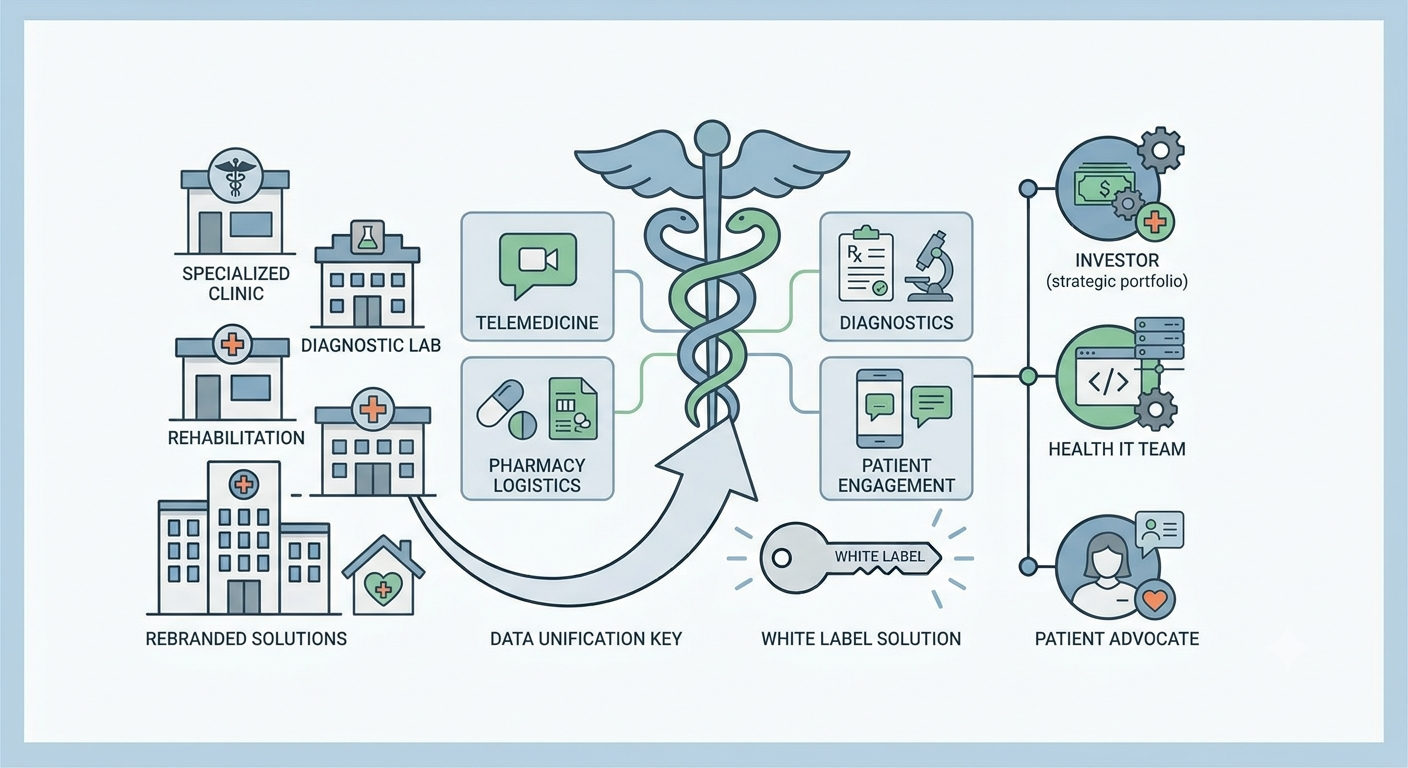
A hospital management system white label solution can be useful when you want to launch a branded software product without developing every component from the ground up.
With a white-label approach, the underlying software can be customized with your business identity, branding, pricing, and customer-facing experience, depending on the provider and licensing terms.
This can reduce the amount of initial development work, but you still need to evaluate the software carefully before offering it to healthcare customers.
Do not choose a software product simply because it has a large number of features.
Test the actual workflow.
Create a sample patient. Schedule an appointment. Generate a bill. Add a doctor. Check user permissions. Test reports. Try the system from different devices.
You should also examine how easy it is for staff members to use.
Healthcare workers are often busy, so complicated navigation can become a problem even if the software technically has everything they need.
Look at customization options, scalability, integrations, support, documentation, updates, and licensing terms.
Security should receive particular attention because healthcare software can handle sensitive information.
After selecting the software foundation, develop a clear business identity.
Choose a name, logo, website, pricing structure, and customer communication strategy.
You also need to decide how customers will pay.
Possible models include monthly subscriptions, annual plans, one-time licensing, implementation fees, or customized enterprise packages.
If you use a ready-made product, platforms such as heloix.com can be useful for businesses looking for ready-made and white-label software products that can be adapted and launched under their own business model.
Your pricing should account for software costs, hosting, support, customization, marketing, and future maintenance.
Before you officially launch, test the system with realistic scenarios.
Check whether users can complete common tasks without unnecessary steps.
Test the system on desktop computers, tablets, and smartphones if those devices are part of your target use case.
You should also check performance, backups, user permissions, error handling, and notification systems.
If your product supports integrations, test those as well.
A small pilot with a limited number of users can reveal problems that may not appear during internal testing.
Use the feedback to improve the product before approaching a larger customer base.
Selling the software is only part of the business.
Hospitals and clinics may need help setting up users, importing information, configuring departments, and understanding different modules.
Create simple onboarding materials such as setup guides, video demonstrations, FAQs, and support documentation.
You can also provide training sessions for administrators and staff.
A smooth onboarding process can make it easier for customers to start using the system and understand its main functions.
Once the product is tested and ready, you can start your marketing campaign.
Create a website that clearly explains what the system does and who it is designed for.
Instead of listing dozens of features without context, explain the problems each feature solves.
You can publish educational content about hospital administration, healthcare software, appointment management, billing, patient records, and digital transformation.
Search engine optimization can help people discover this content when they are researching healthcare software.
You can also explore direct sales, partnerships, demonstrations, industry events, email marketing, and social media.
The goal is not simply to get visitors. You want potential customers to understand why your product fits their needs.
The timeline depends on what you mean by launch.
Building a complete hospital management platform from zero involves planning, software development, database work, security, testing, integrations, bug fixing, deployment, and ongoing maintenance.
That is not something a serious business should expect to complete in a few days.
However, the situation changes when you start with an existing software product.
A ready-made platform can provide an existing technical foundation. Your work may then focus on branding, configuration, customization, testing, hosting, pricing, and customer onboarding.
This approach can make it more practical to launch hospital management system software within a shorter business timeline.
The important point is that launching the business and developing the underlying technology are two different processes.
Before calling your software ready to launch, check several areas.
The product should have a stable user experience, clear navigation, appropriate access controls, reliable data handling, and useful administrative features.
You should also have a plan for customer support.
Consider what happens when a customer forgets a password, encounters an error, needs a customization, or wants to add more users.
Your business should be prepared to handle these situations.
A ready to launch hospital management system should therefore mean more than software that technically works. It should be supported by a business process that allows customers to adopt and use it effectively.
Starting a hospital management software business in 2026 requires careful planning, but you do not necessarily need to build every part of the technology from scratch.
Start by identifying a specific customer group and understanding its operational problems. Then choose the features that address those problems, evaluate your development options, test the software thoroughly, and build a clear business model around it.
A white-label or ready-made approach can reduce some of the technical work involved in creating a new product, allowing you to focus more on branding, sales, customer support, and market development.
The healthcare software market also demands responsibility. Security, reliability, usability, and proper handling of sensitive information should remain priorities throughout the product's lifecycle.
With the right foundation and a realistic launch plan, a hospital management system can become the starting point for a focused healthcare software business.
Please to post a comment
No comments yet
Be the first to share your thoughts.
@heloix_news
HealthTech
@heloix_news
HealthTech

@heloix_news
HealthTech
Subscribe for the latest on technology, business growth and digital transformation.