
HN
@heloix_news
HealthTech
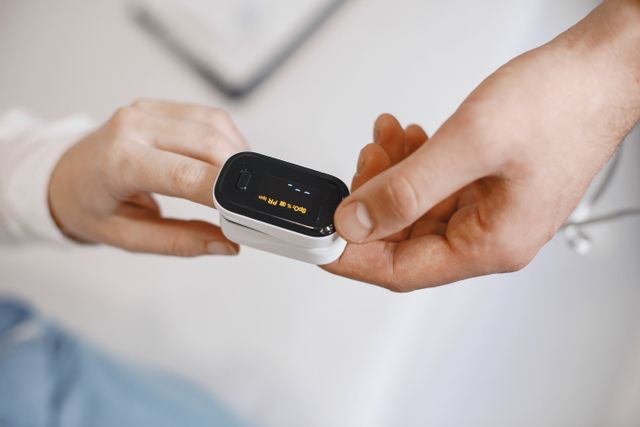
Simplifying Metabolic Health: Inside EYVA’s Pocket-Sized, Non-Invasive Biosensing Revolution
#EYVA#metabolichealth#biosensing
Comment
308

The way people buy medicines is changing. Instead of visiting a pharmacy for every order, many customers now prefer to search for medicines online, upload prescriptions when required, place an order, and have it delivered to their doorstep.
For pharmacy owners and entrepreneurs, this creates an opportunity to build a digital ordering channel without starting with a large technology team. The challenge is that developing an app from scratch can take weeks or months. There is product planning, UI design, coding, database setup, testing, payment integration, delivery management, and deployment to handle.
That does not mean you need to build everything from zero.
A faster approach is to use an existing pharmacy delivery solution and configure it for your business. With the right preparation, you can work toward a ready to launch pharmacy delivery app in a very short time.
Here is how a three-day launch plan can work.
The first step is deciding what you actually need from your pharmacy delivery app.
Do not begin by looking at colors, logos, or app screens. Start with the basic customer journey.
A customer should be able to:
Browse medicines and other pharmacy products
Search for a product
Add products to a cart
Upload a prescription where required
Enter delivery details
Select a payment method
Place an order
Track the order status
On the business side, you need tools for managing products, customers, orders, payments, and deliveries.
Once these requirements are clear, look for an existing platform that already provides most of these functions. This is where a pharmacy delivery app reseller model can be useful. Instead of developing the underlying software yourself, you can use an existing solution and offer it under your own business identity, depending on the provider's licensing and customization options.
The next task is preparing your basic business information.
Decide your:
Business name
App name
Logo
Service area
Delivery charges
Payment options
Customer support details
Product categories
Prescription process
You should also prepare the initial product catalog. You do not necessarily need to upload thousands of products immediately. Start with the products and categories you expect customers to search for most often.
If the software is already developed, this stage is mainly about configuration rather than programming. This distinction can result in significant time savings.
Once the basic setup is ready, focus on the parts customers will interact with most.
Start with your product catalog.
Create clear categories so customers do not have to scroll through an enormous list. Depending on your business, categories might include prescription medicines, over-the-counter products, personal care, wellness products, baby care, and medical supplies.
Additionally, product information ought to be clear and accurate. Include the product name, relevant description, price, availability, and other information your customers need.
Prescription handling deserves special attention.
Some medicines cannot simply be purchased like ordinary consumer products. If your business accepts prescription orders, the app should provide an appropriate process for customers to submit prescriptions and for authorized staff to review them before an order is fulfilled.
Next, configure the ordering process.
A simple order flow might look like this:
Product search → Product selection → Cart → Prescription upload if required → Address → Payment → Order confirmation → Delivery
Test this flow yourself before allowing customers to use the app.
Place a test order and check what happens at every stage. Does the admin panel display the order correctly? Can staff see the customer's information? Is the prescription accessible to the appropriate staff? Does the payment status update correctly? Can the order move from confirmed to prepared to dispatched and delivered?
Delivery settings are another important part of the setup.
If you serve a limited local area, define the locations where you can reliably deliver. You may also want different delivery charges based on distance, order value, or delivery zones, depending on the capabilities of your software and business model.
Existing software can make this process much faster because many of these functions may already be available. For example, products from heloix.com can help businesses use ready-made software solutions instead of developing every basic feature from scratch.
The goal at this stage is not to make the app perfect. It is to ensure the smooth operation of the entire customer journey.
Before announcing your app, test it as if you were a customer.
Install or open the app and go through the complete ordering process.
Search for several products. Add and remove items from the cart. Try entering an incorrect or incomplete address. Test the prescription upload process if available. Check the payment process. Confirm that order notifications appear correctly.
Then test the business side.
Can your staff quickly identify a new order? Can they update its status? Can they identify the customer's delivery details? Can they manage products without confusion?
Small problems become much more noticeable when real customers start using an app. A button that is difficult to find, an unclear product description, or a broken checkout step can cause customers to abandon an order.
Pay attention to the following areas during testing:
The checkout should not ask customers for unnecessary information. Keep the process straightforward and make the final price clear before the customer confirms the order.
Most customers will use a smartphone, so check the app on different screen sizes if possible. Buttons should be easy to tap, product information should be readable, and important actions should not be buried in menus.
Customers should receive appropriate confirmation after placing an order. Your staff should also know when a new order arrives.
An app is only as useful as the information behind it. Check prices, availability, product names, and categories before launch.
Give customers an easy way to contact your business when they have a question about an order, delivery, or prescription.
After testing, fix the issues that could prevent customers from completing an order. Cosmetic changes can come later.
It is important to understand what a three-day launch does and does not mean.
You are not realistically building an entire pharmacy technology platform from scratch in 72 hours.
Developing custom software requires planning, design, programming, database development, security work, integrations, testing, bug fixing, and deployment. The timeline can become much longer when you need features specifically designed for your business.
The faster approach is to start with software that has already been developed.
Think of it like opening a physical pharmacy. You could manufacture every shelf, refrigerator, counter, billing machine, and storage system yourself. Or you could purchase the equipment and spend your time setting up the store and preparing it for customers.
A ready-made app follows a similar idea.
The technology provides the foundation. Your work is to configure the business, add products, establish delivery operations, test the experience, and prepare customers for the launch.
Launching the app is only the beginning.
Once customers start using it, watch how they interact with it.
Look at which products receive the most searches and orders. Pay attention to abandoned carts and customer complaints. Monitor delivery times and identify areas where orders frequently face delays.
You can then improve the app based on actual customer behavior rather than assumptions.
You may eventually add features such as loyalty programs, promotional offers, repeat ordering, multiple delivery options, customer reviews, or integrations with other business systems.
The important thing is to avoid adding features simply because they sound impressive. Every new feature should solve a genuine problem for customers or your pharmacy team.
Launching a pharmacy delivery app quickly is possible when you avoid treating the project like a traditional software-development exercise.
The biggest time saving comes from starting with an existing solution rather than building every component from scratch. You can then concentrate on your product catalog, prescription process, delivery area, payments, customer experience, and day-to-day operations.
A ready to launch pharmacy delivery app can give a pharmacy business a technical starting point, while a pharmacy delivery app reseller model can provide another route for businesses that want to offer a branded solution without developing the underlying platform themselves.
The three-day approach works best when the technology is already available and your business requirements are clearly defined. It does not remove the need for testing, operational planning, legal compliance, or ongoing improvements.
What it can do is shorten the distance between having an idea and giving customers a working digital way to order from your pharmacy.
Please to post a comment
No comments yet
Be the first to share your thoughts.
@heloix_news
HealthTech
@heloix_news
HealthTech
@heloix_news
HealthTech
Subscribe for the latest on technology, business growth and digital transformation.